
 Help me choose
A vacation home pool has a problem no feature list mentions: nobody is looking at it. Debris lands for weeks, and whoever might notice is hundreds of miles away. The best robotic pool cleaner for vacation homes is the one that fits how the property is actually looked after.
The limits first. Manufacturers advise against leaving a robot in the water for weeks, and a scheduled robot with a full filter keeps moving without collecting anything. So no robot minds an empty house all season. What works is a robot that someone drops in, or that you start from your phone during shorter gaps, with the capacity for a first clean after a long absence.
Vacation Home Picks From Our Pool Pros
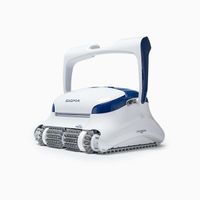
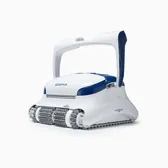
Remote start over Wi-Fi is the reason the Sigma leads: from the myDolphin Plus app you can start, stop and schedule a cycle, provided the robot is in the pool and the house Wi-Fi reaches the power supply. Its filter alert matters more here than anywhere, because it tells you from a distance that someone needs to visit. The 3-year warranty suits a robot that works in bursts.
The catch: it costs the most of the five, and at 24.6 lb with cartridge filters it is the hardest robot here to hand to a caretaker.
Best for
Owners who manage the pool from a distance and want alerts as well as remote start.
Keep in mind
Needs working Wi-Fi at the property; highest price; heavy for a caretaker to lift.
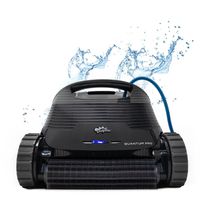
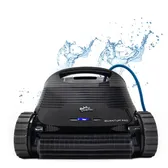
The XXL MaxBin basket is what the Quantum brings to a pool that has gone unwatched: over 400 square inches of filter area leave more room for a backlog before the robot stops collecting. Like the Sigma it starts, stops and schedules from the myDolphin Plus app over Wi-Fi, and it adds a timer on the power supply for the weeks you are in residence. Emptying is one click from the top at 18.3 lb.
The catch: a shorter warranty, and if the router is down, control is at the power supply.
Best for
Second homes with in-ground pools up to 50 ft and a caretaker or guest who empties the basket.
Keep in mind
Two-year warranty; remote start depends on the house Wi-Fi staying on while you are away.
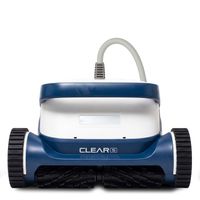
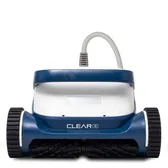
Mode choice is the Clear S advantage at a second home: a 1-hour Fast clean on arrival day gets the floor presentable while you unpack, and a 3-hour Ultra clean deals with what weeks of neglect left behind. The Clear app sets weekly schedules for the stay and shows live pool temperature. The 3-year limited warranty suits occasional use.
The catch: we do not state how the app connects, so do not count on starting it from another city until a Pool Pro has confirmed that for your setup.
Best for
Owners who run the robot themselves on arrival and want both fast and deep modes.
Keep in mind
Remote start from away is not something we can confirm here; Ask a Pool Pro before relying on it.

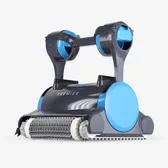
The oversized leaf bag is why the Premier is on this list: a pool left alone under trees fills with leaves, and Multi-Media filtration lets you fit the bag for the first clean and NanoFilters for the fine dust afterwards. The warranty runs 3 years.
It has no remote start. Everything is on the power supply, which is the honest reason it sits fourth, but that also makes it simple to hand over: a caretaker starts it there, and during your stay the weekly timer repeats the cycle at the interval you pick.
Best for
Wooded properties where a caretaker or service drops the robot in before each visit.
Keep in mind
No remote start or alerts of any kind, a 20.3 lb lift and a 3-hour cycle.

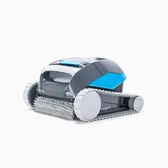
At 14.6 lb the Cayman is an easy robot to hand to someone else, and that is its case for a vacation home: a neighbor or cleaner can lower it in, start it at the power supply and lift it out two hours later with no lesson. It works in in-ground and above-ground pools up to 33 ft, and during a stay its timer runs a cycle every day.
The catch: there is no remote start, and it cleans floor and walls only.
Best for
Pools up to 33 ft where a neighbor, cleaner or guest handles the robot.
Keep in mind
No remote start and no tile-line cleaning; its timer offers the daily setting alone.
Free Shipping30-Day Trial: use it in your pool, return it within 30 days of deliveryLow Price GuaranteeAuthorized dealer with the full manufacturer's warrantyInstallment options, when offered, appear at checkout
What a Second-Home Pool Asks of a Robot
-
Remote Start
App control over Wi-Fi lets you start a cycle from home. It works only if the robot is already in the water, the power supply is plugged in, and the house Wi-Fi is on and reaches it.
-
Capacity for the First Clean
After weeks unattended, the first cycle collects far more than a routine one. A large basket or a leaf bag decides whether that cycle finishes the job. Expect to empty the filter and run a second cycle.
-
A Timer for Occupied Weeks
Once someone is on site, a timer or app schedule keeps the pool clean through the stay with nobody remembering to press start. Power-supply timers need no phone, which helps when relatives or guests are the ones staying.
-
Simple Enough for a Caretaker
If a neighbor, housekeeper or pool service will handle the robot, weight and controls matter more than features. A light robot with obvious controls gets used; a heavy one tied to your phone does not.
Second-Home Specs Compared
| Specification |
Dolphin Sigma
Top pick
|
Dolphin Quantum
Pick 2
|
Clear S
Pick 3
|
Dolphin Premier
Pick 4
|
Dolphin Cayman
Pick 5
|
|---|---|---|---|---|---|
| Price today | $2,349 | $1,599 | $1,749 | $1,949 | $1,049 |
| Power | Corded, plugs into a standard outlet | Corded, plugs into a standard outlet | Corded, plugs into a standard outlet | Corded, plugs into a standard outlet | Corded, plugs into a standard outlet |
| Scheduling | Weekly scheduler by day and time | Weekly timer: every day, every 2 days or every 3 days | Weekly schedules in the Clear app | Weekly timer: every day, every 2 days or every 3 days | Timer: every day |
| App | myDolphin Plus (Wi-Fi and Bluetooth) | myDolphin Plus (Wi-Fi) | Clear app (iOS and Android) | No app; controls on the power supply | No app; controls on the power supply |
| Robot weight | 24.6 lb | 18.3 lb | — | 20.3 lb | 14.6 lb |
| Filter access | Cartridges | Top-load, one-click open | — | Top-load, no tools | Top hatch, one-tab emptying |
| Cycle time | 2.5 hours | 2 hours | 1, 2 or 3 hours (six modes) | 3 hours | 2 hours |
| Cleans | Floor, walls and waterline | Floor, walls, waterline, sun shelves and stairs | Floor, walls and waterline | Floor, walls and waterline | Floor and walls |
| Warranty | 3 years | 2 years | 3 years (limited) | 3 years | 2 years |
| Buy | See priceDetails | See priceDetails | See priceDetails | See priceDetails | See priceDetails |
Specifications are the manufacturers' published figures. Prices are live from our store.
Three Setups That Work for an Unwatched Pool
Pick the setup first and the robot second. These three work, and they combine well: a caretaker in the off-season, remote start when the house is in regular use.
- Caretaker drop-in. A neighbor, housekeeper or pool service lowers the robot in a day before you arrive, runs a cycle, empties the filter and stores it.
- Remote start for short gaps. Between back-to-back weekends, the robot stays in the pool and you start it from the app before leaving home.
- Arrive and run. You drop the robot in when you get there, let it work while you unpack, then put it on a schedule for the stay.
Why Not Leave the Robot In All Season?
Two things go wrong. First, manufacturers advise against leaving a robot in the water for weeks. Robots with a timer or app are made to stay in between scheduled cycles, but that assumes someone lifts them out at least weekly to rinse the filter and removes them ahead of any shock or chemical treatment.
Second, a schedule does not empty a filter. After a few cycles in an unattended pool the filter is full, and from then on the robot drives its route and collects nothing. If nobody will touch it for more than a week or so, bring it out, rinse it and keep it somewhere dry and shaded.
Wi-Fi at the Pool: Check It Before You Rely on It
Remote start is only as good as the connection at the power supply, which is usually outdoors and often at the far end of the house from the router. Before you leave, stand where the power supply sits and check the signal on your phone. Then start a cycle from the app with your phone's own Wi-Fi turned off, to confirm it works from outside the home network, and leave the router on when you close up the house. If the signal is weak, Ask a Pool Pro about options before you buy.
Pool Pro Tips for Second-Home Owners
- Pool Pro tip: leave a one-page card with the robot: where it plugs in, how to start it, how to empty the filter, where it is stored.
- Pool Pro tip: after a long absence, plan two cycles. Run the first, empty the filter, then run the second; the backlog rarely fits in one load.
- Between visits, keep the robot indoors or in a shaded, locked spot, with the filter rinsed.
- Tell the pool service where the robot is kept and ask them to take it out before adding shock or other chemicals.
Vacation Home Pool Questions
Can I start a pool robot when I am not at the vacation home?
With the Sigma or Quantum, yes: the myDolphin Plus app starts, stops and schedules a cycle over Wi-Fi. The robot has to be in the pool already, its power supply has to be plugged in, and the house Wi-Fi has to be on and reach the power supply.
Can I leave the robot in the pool while the house is empty for a month?
We advise against it, and so do manufacturers. A robot can stay in between scheduled cycles when someone is lifting it out at least weekly to rinse the filter. For a month away, store it dry and out of direct sun, and have it dropped in before you return.
What happens if the filter fills up while nobody is there?
The robot keeps running its schedule but stops collecting, so cycles are wasted until someone empties it. The Sigma can tell you through its app that the filter needs attention; a person still has to do it.
Does a robot replace a pool service at a second home?
No. A robot removes debris from the floor and walls, and on most picks here the tile line. It does not test or balance water, add sanitizer, or empty skimmer baskets. For a house that sits empty, pair the robot with a service or caretaker who covers those jobs.
Is the Escape a good choice for a vacation home?
It can be, for a small pool with someone on site. At 14.2 lb it is the lightest Dolphin in this guide, and it is rated for pools up to 33 ft, above-ground or in-ground. It has no remote start and nothing to schedule it as standard, and its cable is 40 ft, so measure the run first.
The Pool Pro Verdict
Decide who will handle the robot, then buy for that person. If it is you, from a distance, the Sigma and Quantum start from the app and the Sigma reports back. If it is you on arrival, the Clear S gives you a fast pass and a deep one. If it is a caretaker, the Premier handles leaves and the Dolphin Cayman is the light, simple one to hand over. Plan the drop-in before the purchase.
How we pick and how we earn: Pool Express is an authorized dealer and sells every robot recommended in this guide. Picks are ranked for this pool or problem from each robot's published specifications. Prices shown are pulled live from our store and may change. Last updated November 23, 2026.