
 Help me choose
There are two kinds of automatic cleaning. A repeat timer starts the robot at a fixed interval: every day, every 2 days, every 3 days. A scheduler lets you choose which days and what time, so the robot runs Monday and Thursday at dawn if that is what suits the pool. Only the second lets you plan around real life.
This guide ranks the best robotic pool cleaner with automatic scheduling by how much control each gives you, then by what it costs to get it. Our team of pool professionals puts the app schedulers first: the Clear S, the Sigma and the Clear UV. The Dolphin Quantum follows with both an app and a timer, and the Dolphin Premier closes the list as the strongest timer-only robot.
Our Scheduling Shortlist, Ranked by Pool Pros
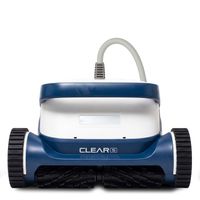
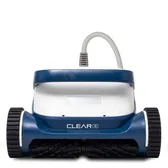
Weekly schedules in the Clear app are the spec that wins: you choose the days and times from your phone, on iOS or Android. Around that sit six cleaning modes, from a Fast one-hour pass to a three-hour Ultra, plus manual joystick driving for the spot a scheduled run missed. It carries a 3-year limited warranty at a price that sits below the Sigma; see the live price on the card. The catch: scheduling lives in the app, so a phone is part of the deal, and its coverage takes two or three cycles to tighten.
Best for
In-ground pool owners who want to pick cleaning days and times from a phone.
Keep in mind
Give it three cycles before judging coverage; it is built for in-ground residential pools.
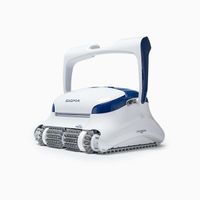
The weekly scheduler by day and time is the Sigma's headline, and it has the most ways to reach it: the myDolphin Plus app connects over Wi-Fi and Bluetooth, so you can change the plan from the office or while standing at the pool. The app also sends a filter alert, which closes the gap every schedule has, and Siri voice control can start a run. It is covered by a 3-year warranty. The catch: it is the highest-priced robot in this guide.
Best for
Owners who want exact days and times, a filter alert and voice start.
Keep in mind
Top of the price range, and a 24.6 lb lift whenever the filter alert calls you out to empty it.
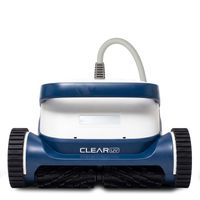
The Clear UV schedules exactly as the Clear S does: weekly schedules in the Clear app, the same six modes, joystick driving and live pool temperature. What it adds is a built-in UV-C light, switched from the same app, at a higher price. As a scheduler it is the equal of our top pick, which is why it ranks third and not lower. The catch: the extra money buys the light, not more scheduling control, so choose it only if the light is something you want.
Best for
Buyers who like the Clear app's scheduling and want the built-in light as well.
Keep in mind
Scheduling is identical to the Clear S; compare the two live prices before deciding the light is worth it.
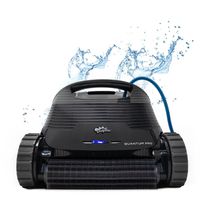
Two scheduling systems in one robot is the Quantum's advantage. The weekly timer runs every day, every 2 days or every 3 days with no phone, and the myDolphin Plus app adds start, stop, scheduling, cleaning modes and alerts over Wi-Fi. If the Wi-Fi drops or a house-sitter takes over, the timer keeps the routine going. It is also the lowest-priced 50 ft robot in this guide, with a 2-hour cycle and an XXL MaxBin basket. The catch: a 2-year warranty.
Best for
Households that want app scheduling with a no-phone backup, at the lowest 50 ft price here.
Keep in mind
Warranty runs 2 years, not 3, and check that Wi-Fi reaches the power supply before counting on the app.

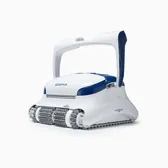
The weekly timer on the power supply is the whole story: set it to every day, every 2 days or every 3 days, and the Premier repeats that without an app, an account or a Wi-Fi signal. For many owners that is all the automation they want. A full-filter indicator on the power supply tells you when to empty it, and the warranty is 3 years. The catch: intervals only. You cannot name the days or the hour.
Best for
Owners who want reliable repeat cleaning with nothing to install, pair or log in to.
Keep in mind
Interval presets only; if cycles must land on specific days or hours, choose an app-scheduled pick.
Free Shipping30-Day Trial: use it in your pool, return it within 30 days of deliveryLow Price GuaranteeAuthorized dealer with the full manufacturer's warrantyInstallment options, when offered, appear at checkout
How to Judge a Robot's Scheduling
-
Days and Times, or Just Intervals
An interval timer repeats every one, two or three days. A scheduler assigns cycles to named days at set times. If the pool service comes on Tuesdays, or you only want cleaning on weekdays, you need the scheduler.
-
Where the Schedule Lives
App schedules are set from a phone. Timers on the power supply are set at the pool and need no phone, account or Wi-Fi. Some owners want the app's reach; others want a schedule that keeps working when the router does not.
-
What Tells You the Filter Is Full
A scheduled robot with a packed filter runs on time and collects little. Automatic cleaning only stays automatic if something prompts you to empty it: an alert in the app, an indicator on the power supply, or a fixed weekly habit.
-
What Each Run Covers
Scheduling multiplies whatever the robot does per cycle. All five picks clean floor, walls and waterline in pools up to 50 ft, so every scheduled run is a full clean. The floor-and-wall robots sit outside this shortlist for that reason.
Scheduling Picks, Spec by Spec
| Specification |
Clear S
Top pick
|
Dolphin Sigma
Pick 2
|
Clear UV
Pick 3
|
Dolphin Quantum
Pick 4
|
Dolphin Premier
Pick 5
|
|---|---|---|---|---|---|
| Price today | $1,749 | $2,349 | $1,999 | $1,599 | $1,949 |
| Cleans | Floor, walls and waterline | Floor, walls and waterline | Floor, walls and waterline | Floor, walls, waterline, sun shelves and stairs | Floor, walls and waterline |
| Scheduling | Weekly schedules in the Clear app | Weekly scheduler by day and time | Weekly schedules in the Clear app | Weekly timer: every day, every 2 days or every 3 days | Weekly timer: every day, every 2 days or every 3 days |
| App | Clear app (iOS and Android) | myDolphin Plus (Wi-Fi and Bluetooth) | Clear app (iOS and Android), with UV-C light control | myDolphin Plus (Wi-Fi) | No app; controls on the power supply |
| Filtration | UltraFilter basket: 1-micron fine and 180-micron coarse panels | NanoFilters and standard filter cartridges | UltraFilter basket: 1-micron fine and 180-micron coarse panels | XXL MaxBin basket with standard and NanoFilter panels | Multi-Media: NanoFilters, oversized leaf bag and standard fine filters |
| Brushes | Front and rear active brushes | Quad scrubbing brushes | Front and rear active brushes | Dual HyperBrush | Dual scrubbing brushes |
| Navigation | Gyroscope and accelerometer | SmartNav 3.0 with gyroscope | Gyroscope and accelerometer | SmartNav 2.0 | SmartNav 2.0 |
| Cable | 59 ft anti-tangle | 55 ft with 360° anti-tangle swivel | 59 ft anti-tangle | 55 ft with anti-tangle swivel | 55 ft with 360° anti-tangle swivel |
| Warranty | 3 years (limited) | 3 years | 3 years (limited) | 2 years | 3 years |
| Buy | See priceDetails | See priceDetails | See priceDetails | See priceDetails | See priceDetails |
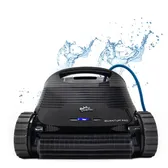
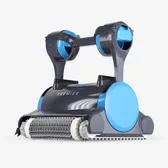
Specifications are the manufacturers' published figures. Prices are live from our store.
Every Scheduling Method Side by Side
The table sets out how each robot in this guide starts itself, including the Cayman and Escape, the two floor-and-wall Dolphins that are not picks here. Read the last column first: choosing days and times is what separates a scheduler from a timer. Two notes. The timers on the Premier, Quantum and Cayman are set on the power supply and need no phone or Wi-Fi. And the Escape has no timer as standard; one arrives only with the optional Automation Timer power supply.
| Robot | How It Schedules | Choose Days and Times? |
|---|---|---|
| Clear S and Clear UV | Weekly schedules in the Clear app | Yes |
| Dolphin Sigma | Weekly scheduler in the myDolphin Plus app | Yes, by day and time |
| Dolphin Quantum | Weekly timer, plus scheduling in the myDolphin Plus app | Intervals on the timer, schedules in the app |
| Dolphin Premier | Weekly timer on the power supply | No: every day, every 2 days or every 3 days |
| Dolphin Escape | Optional Automation Timer power supply | No: every 24, 48 or 72 hours |
| Dolphin Cayman | Timer on the power supply | No: every day only |
When Exact Timing Changes the Result
For plenty of pools an interval is enough. Exact timing earns its keep when the robot has to follow one event or avoid another, and three situations come up again and again.
- Overnight or at dawn: the pool is empty, the day's dust has settled, and the floor is clean before the first swimmer arrives.
- After the pool service visit: brushing puts fine debris into the water, and it settles over the following hours. A cycle set for the next morning collects it. Keep the robot out while chemicals go in.
- While the pump is off: fine debris drops to the floor where the robot can reach it, and the return jets are not pushing the cable about.
What Defeats a Schedule
Automatic does not mean unattended forever. A schedule fails quietly in four ways: the filter is full, a cover is on the pool, the robot was lifted out and not put back, or the power supply has been unplugged. Build one weekly habit around it: lift the robot, rinse the filter, look the brushes over and put it back. If the pool is going to stand idle for weeks, the robot belongs in storage, dry and shaded, not in the water. And a robot on a schedule still does not replace sanitizer or the skimmer.
Pool Pro Tips for Scheduling a Robot
- Pool Pro tip: start with every 2 days, or three named days a week, and add runs only if debris shows in between.
- Pool Pro tip: pair the filter rinse with something you already do weekly, such as testing the water, so the schedule never runs on a packed filter.
- Before relying on an app schedule, stand where the power supply will sit and check your phone shows a usable Wi-Fi signal.
Scheduling Questions, Answered
What is the difference between a weekly timer and an app schedule?
A weekly timer repeats a cycle at a set interval: every day, every 2 days or every 3 days on the Premier and Quantum. An app schedule assigns cycles to chosen days and times, as on the Sigma and the Clear robots. The timer needs no phone. The schedule gives you control over when.
Do I need Wi-Fi for a robot to clean on a schedule?
Not with every robot. The timers on the Premier and Quantum are set on the power supply and need no phone or Wi-Fi. The Sigma's app connects over Wi-Fi and Bluetooth, and the Quantum's over Wi-Fi. For the Clear robots, scheduling is done in the Clear app on iOS or Android.
Can I leave the robot in the pool so the schedule can run?
Yes, that is how scheduled robots are meant to be used: they stay in the water between scheduled cycles. Lift the robot out at least weekly to empty and rinse the filter, more often in leaf season, and always before shocking or adding chemicals.
Is the best robotic pool cleaner with automatic scheduling worth it over a simple daily timer?
If your pool has a routine to work around, yes: a service day, a cover, a pump timer or weekend-only use. If it does not, an interval timer is enough, and the Premier's three presets will keep a pool clean without an app.
The Scheduling Decision Rule
Ask one question: do the cycles need to land on particular days and hours? If yes, choose an app scheduler: the Clear S for the price, the Sigma for Wi-Fi plus Bluetooth and a filter alert, the Clear UV when the built-in light appeals. If you want an app and a no-phone fallback, choose the Quantum. If an interval is all you need, the Premier's timer does it with nothing to install. Ask a Pool Pro which schedule suits your routine.
How we pick and how we earn: Pool Express is an authorized dealer and sells every robot recommended in this guide. Picks are ranked for this pool or problem from each robot's published specifications. Prices shown are pulled live from our store and may change. Last updated November 23, 2026.